Back to main page

TermovioA closer look at home heating.

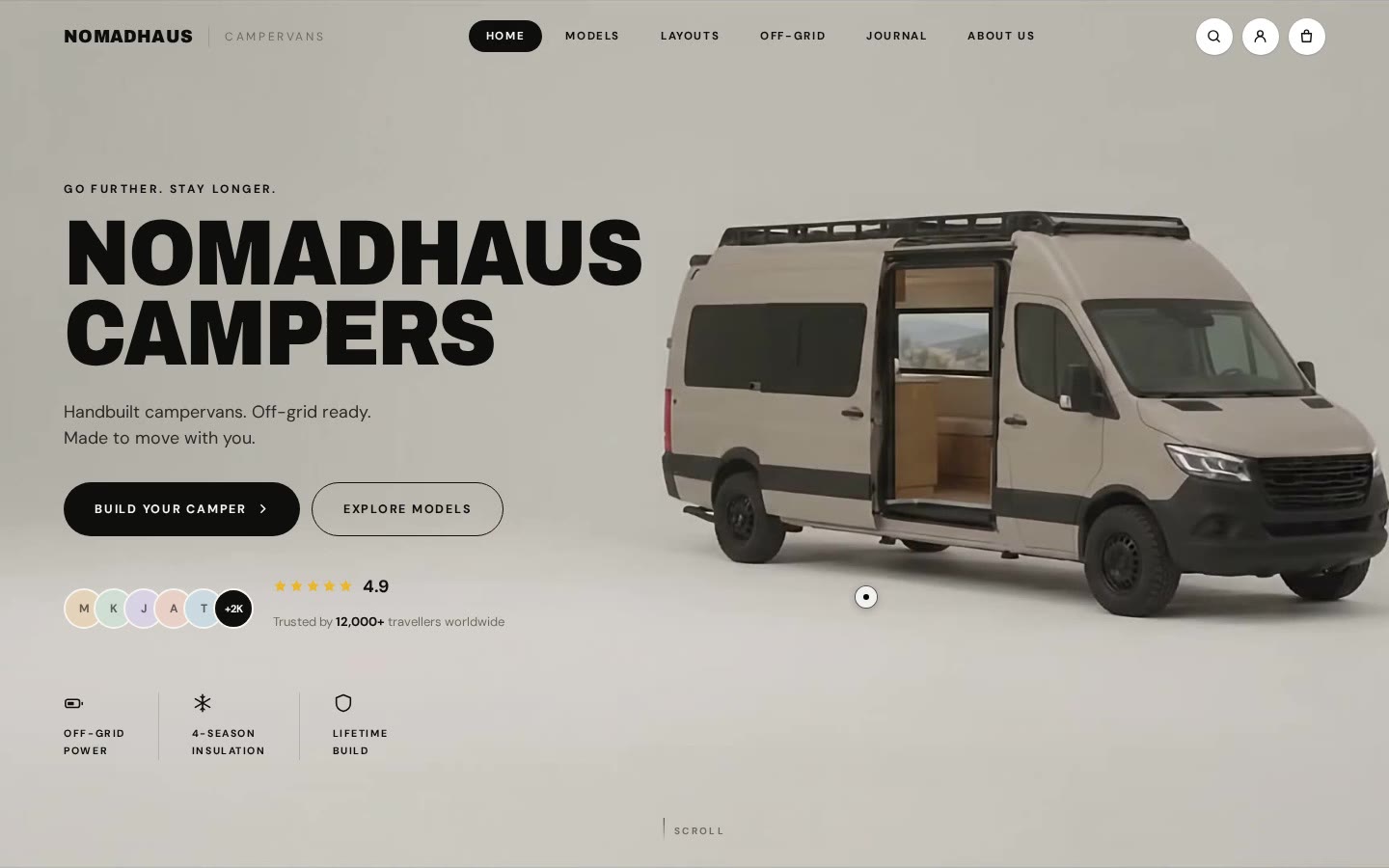
Termovio is a demonstration installer brand. The site opens on a house in winter sun. Scrolling carries the camera to the devices: a heat pump, a gas boiler and a pellet boiler.

Client
Demonstration brand
Industry
Home heating
Scope
Brand, hero, film, website
Technologies
GSAP, ScrollTrigger, Lenis, canvas
Tools
Image generator, Blender, video generator, ffmpeg
Year
2026

How can we show more than the equipment?

A photo of a heat pump says little about the company installing it. We wanted to present the offer in the context of a home and everyday comfort.

So we started with a winter view of a house, then moved on to the equipment, services and contact.
One frame leads the whole site

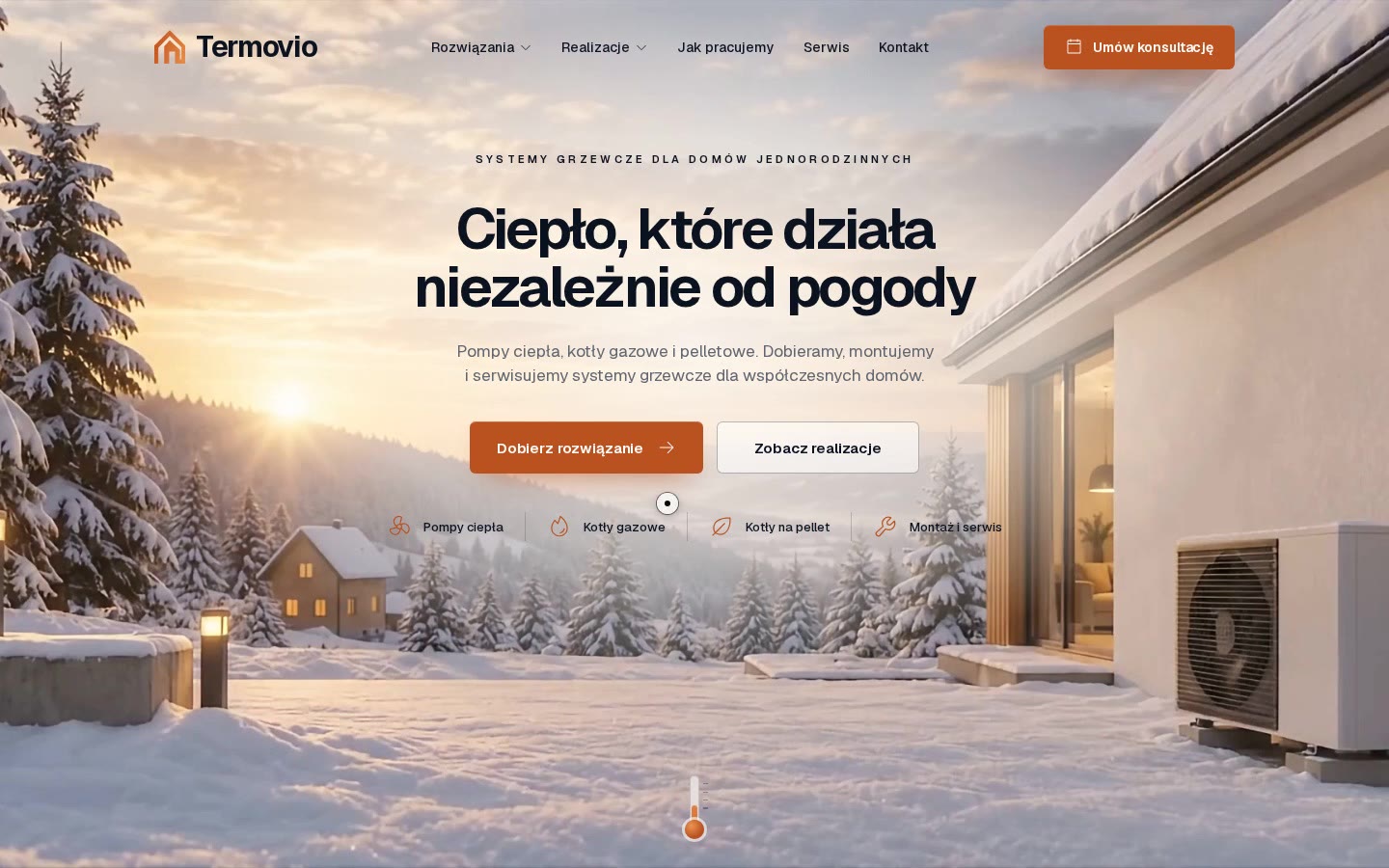
We first designed the opening screen: the house, logo, colours, typography and copy. It became the shared reference for the film and website.

Navigation, headings and buttons are separate page elements above the film. They stay readable and work independently of the footage.

Opening screen: a house in winter sun
01Opening screen: a house in winter sun
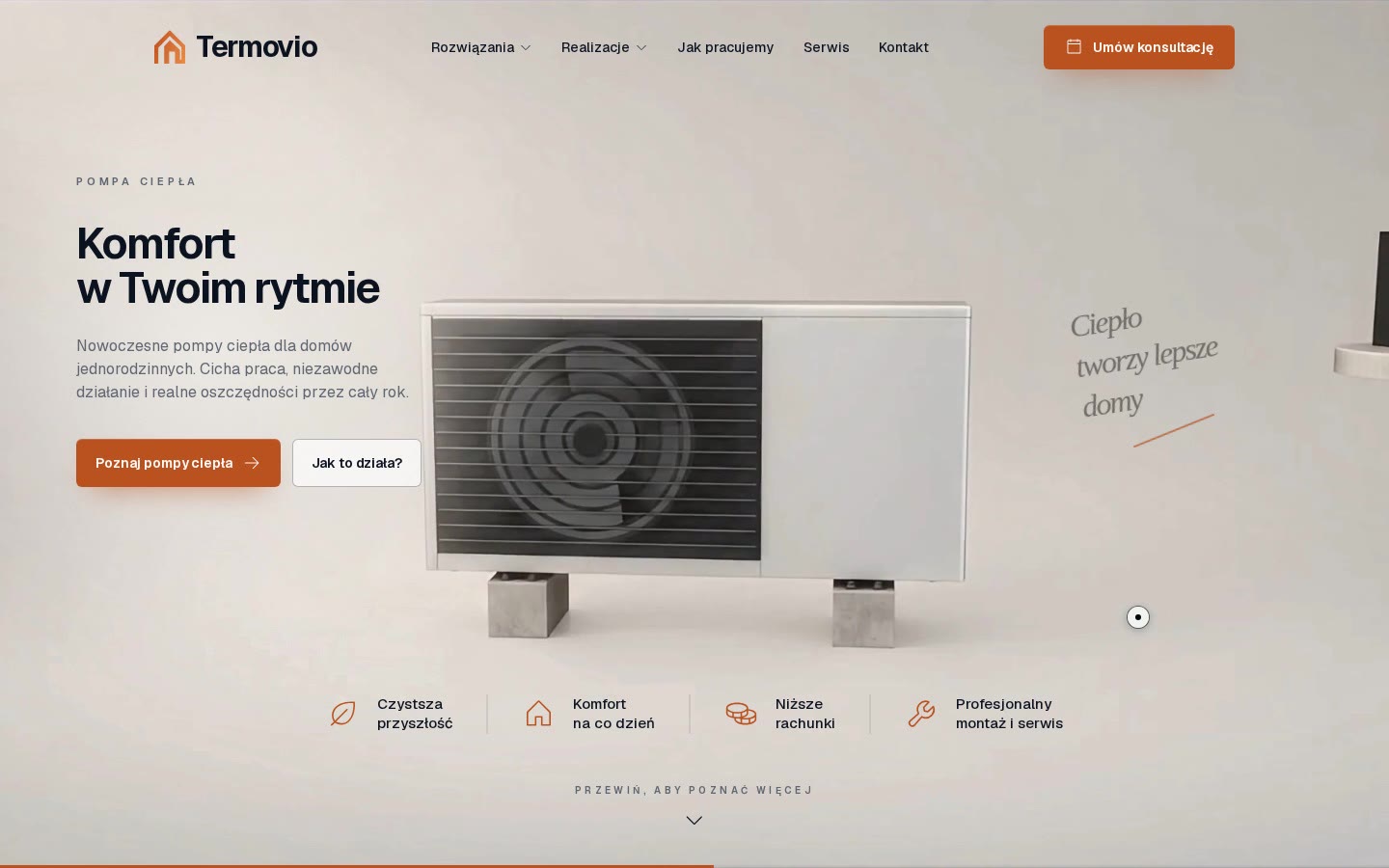
The heat pump after the camera move
02The heat pump after the camera move
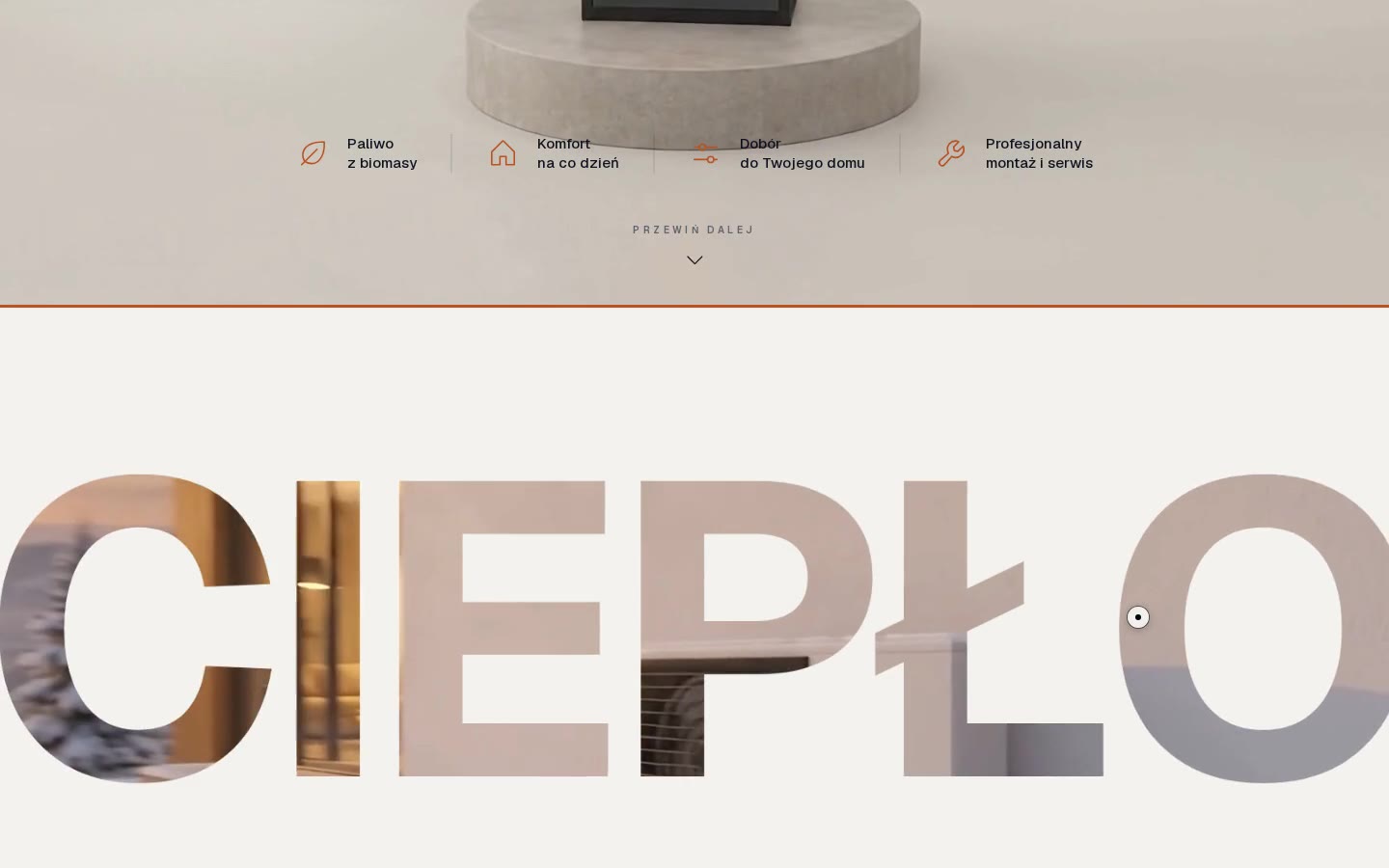
The word CIEPŁO with video inside the letters
03The word CIEPŁO with video inside the letters

Stages of work

  1. 01

    A brand from an image

    Mark, colour, typeface and copy from one generated hero.

  2. 02

    Space

    Volumes in Blender and a camera path from the house to the pump.

  3. 03

    Film

    Look from the video generator, motion from Blender.

  4. 04

    Website

    A film controlled by scrolling, with separate navigation and buttons.

How it was made

  1. 01

    Designing the opening screen

    An image generator designed the page view: brand, copy, accent colour and a winter house with a heat pump.

  2. 02

    The same frame without UI

    A clean version of the same shot, without menus or text. Checked by overlaying the original: roof, device and horizon must align.

  3. 03

    Blockout in Blender

    An agent with access to Blender rebuilt the scene as simple volumes at real scale and matched the camera to the image. That produced the camera path to the pump.

  4. 04

    Film from a motion reference

    The video generator received the Blender move and the clean frame. Blender defines the camera path and timing; the generator adds materials and lighting.

  5. 05

    Scroll-controlled footage

    Scrolling moves the film frame by frame. The motion eases around each device, giving visitors time to explore the offer.

Image, copy and motion on the page

Film inside the letters

The winter loop is drawn only inside the letters of the word CIEPŁO (warmth). The rest of the section stays calm and readable.

Four stages of working together

Four steps of working together slide sideways as you scroll down: visit, selection, installation, service.

Text in code

Every line above the film is real HTML. It can change without rendering the film again.

From a view of the house to the offer

The site leads from a warm house in the snow to a specific device, finished homes and contact.

We described the whole process in a guide. You can repeat it for your brand.

Next case studyNOMADHAUSA move inside